The complete guide
Operating a sound machine at 2am without fully waking up
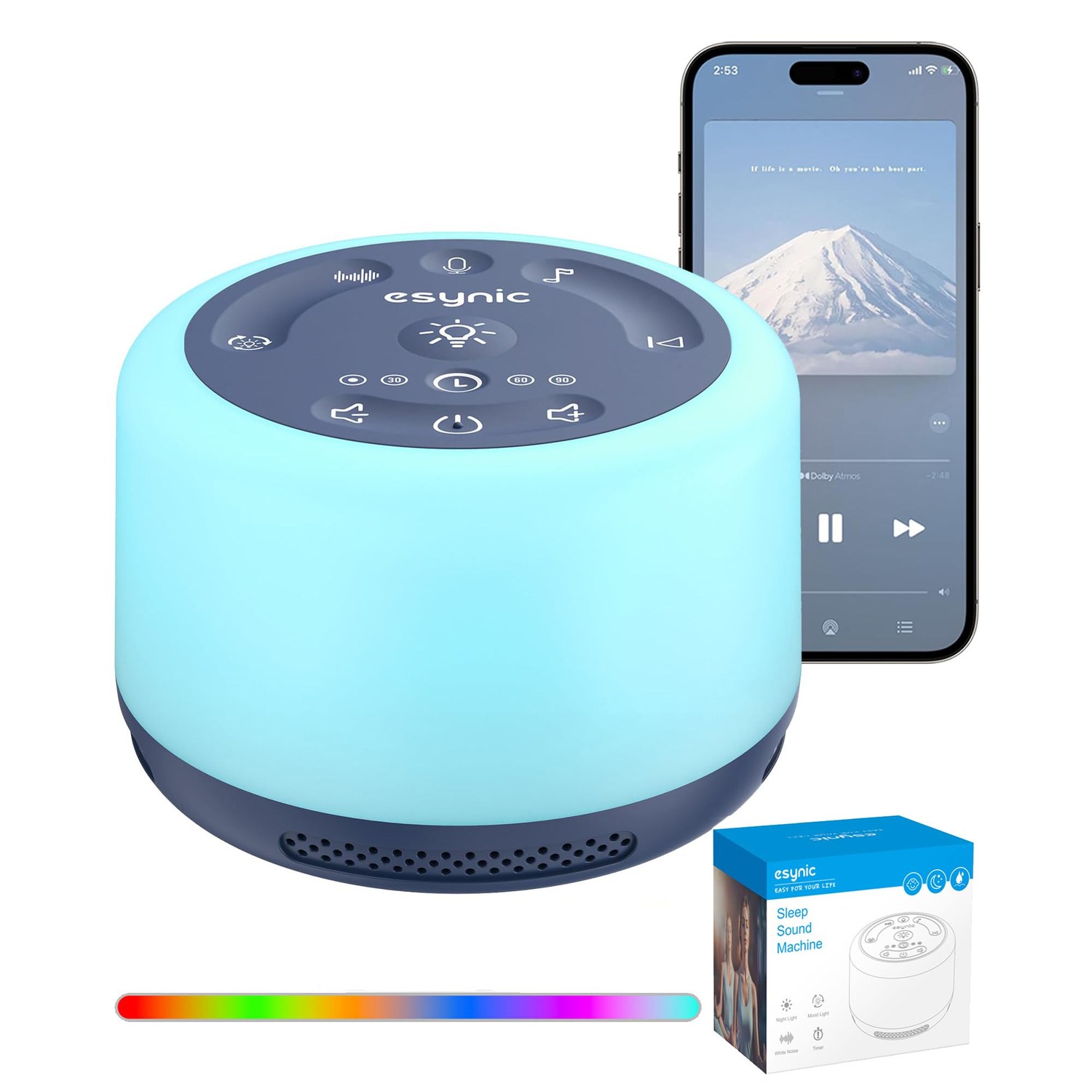
The single most common complaint about sound machines isn't the sound quality, it's fumbling for the right button in the dark and accidentally cycling through five tracks before finding the one you wanted. Here's how a redesigned button layout like eSynic's actually solves that.
Why button shape matters more than you'd think
Most sound machines use flat, identical buttons, fine to see in daylight, frustrating to distinguish by touch at 2am. eSynic's backlit, tactile design gives each button a distinct feel, and a dedicated previous-track key specifically avoids the most annoying failure mode: accidentally skipping past your chosen sound and having to cycle through the entire list again to get back to it.
Learn the layout once, in daylight
The best time to familiarise yourself with a new sound machine's buttons isn't the first night you actually need it in the dark. Spend two minutes during the day pressing each button while watching what it does, volume, sound selection, light, timer, so that by the time you need to operate it half-asleep, your hand already knows roughly where everything is.
Use the night light as backup, not the main method
If you genuinely can't find a button by feel, the 7-colour night light gives you just enough glow to see the controls without needing a bedroom lamp. It's worth using this as an occasional backup rather than routinely turning it up bright to see, the whole point of tactile buttons is to eventually not need visual confirmation at all.
A dark-friendly machine still needs a sensible location
No button design fully solves the problem if the machine itself is hard to reach, wedged behind other nightstand items or on the wrong side of the bed. Position it somewhere you can reach it without fully sitting up, and the combination of good placement and tactile buttons should mean most adjustments happen without properly waking up at all.